|
Netscape Communicator
Your welcome letter provides all the information you need to set up your e-mail account. It should have your User ID, E-Mail Address and POP Server.
 |
|
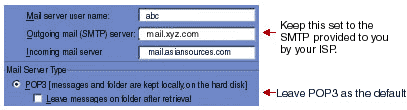
For example: ABC Company will use the following information to set-up its e-mail account:
|
User ID
E-Mail Address
POP Server |
abc
abc@asiansources.com
mail.asiansources.com |
|
|
 |
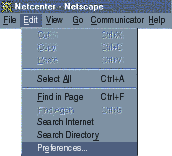
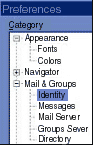
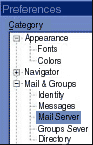
How to setup abc@asiansources.com
You are now ready to send and receive mail through asiansources.com. Provide your password when prompted by Netscape Communicator.
|
|